Overview
Music has always been one of my main passions and keeping up with new releases is a big part of that. The annoying thing is I kept finding out about albums late. An artist I follow would drop a record and I'd only catch it weeks later when a mate mentioned it or the algorithm finally decided to show me. Wikipedia even keeps a properly maintained list of every album scheduled for the year, so the information is all out there. It just never reaches you at the right moment.
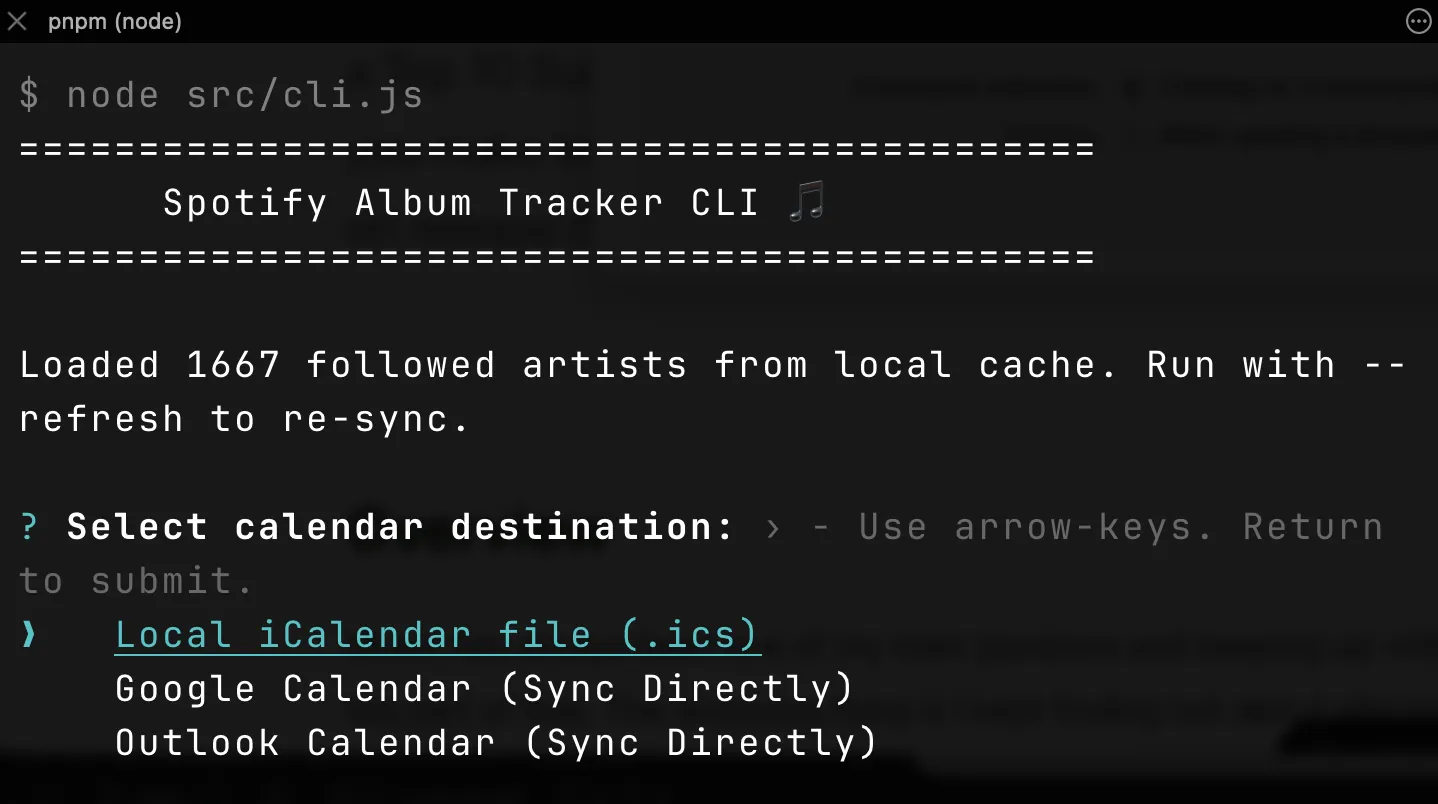
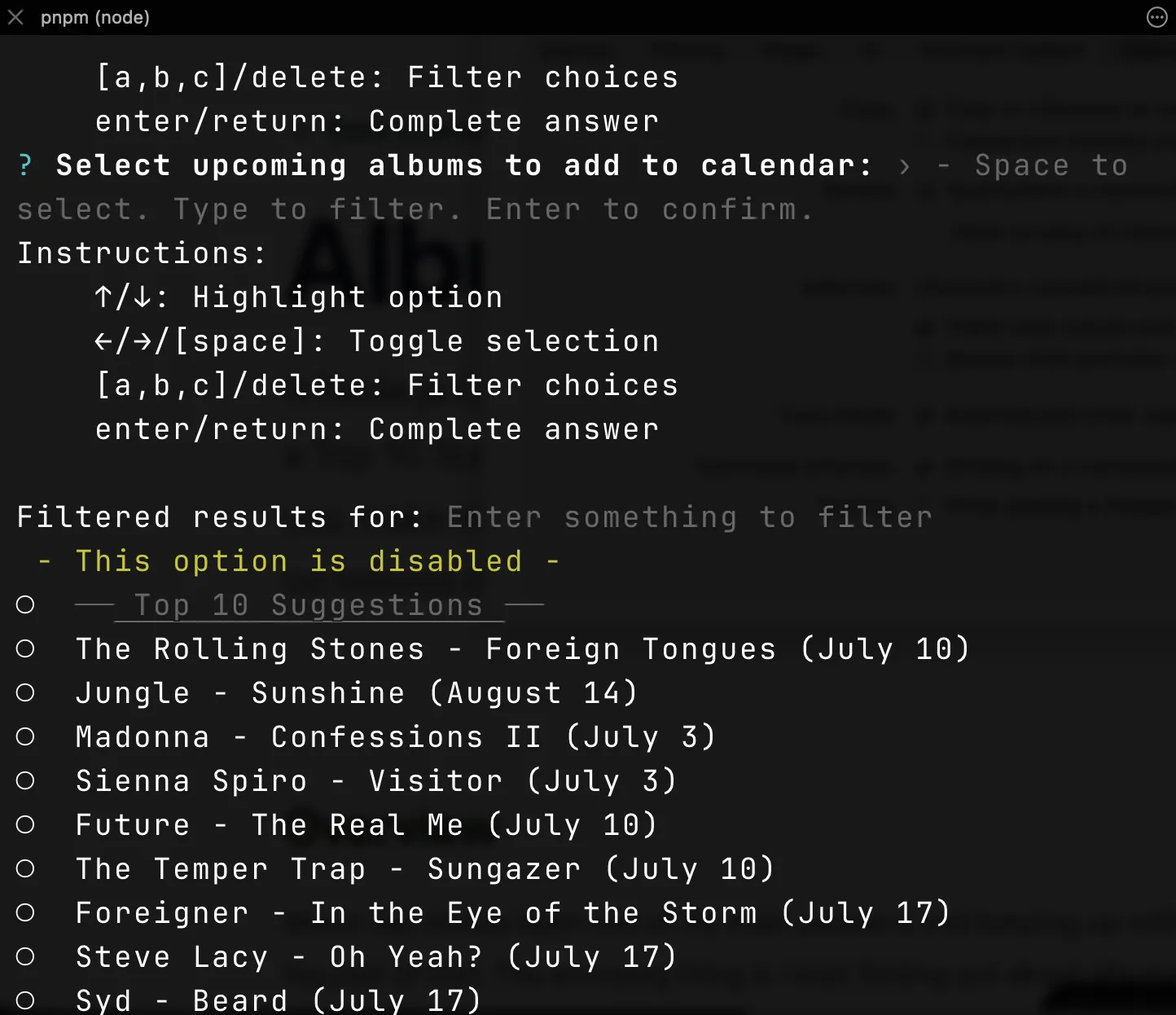
That's when it hit me. I've built calendar tools before. My tennis Grand Slam feed is still quietly doing its job in my calendar right now. Album releases are the exact same shape of problem, known dates that you want to show up on your phone with zero effort, except this time the list is hundreds of albums a month and only a handful are mine. What if the CLI scraped the lot and let my own Spotify follows work out which ones I'd actually care about? So that's what I built! Album Tracker CLI is a Node.js command line tool that scrapes upcoming releases from Wikipedia, lets you pick the ones you want in an interactive terminal checklist and adds each one to your calendar as a 9am reminder on release day. Connect Spotify and it ranks a Top 10 Suggestions block from the artists you follow and listen to most.
What I built
The flow is straight forward. You run pnpm start, choose where the releases should go and start ticking albums.
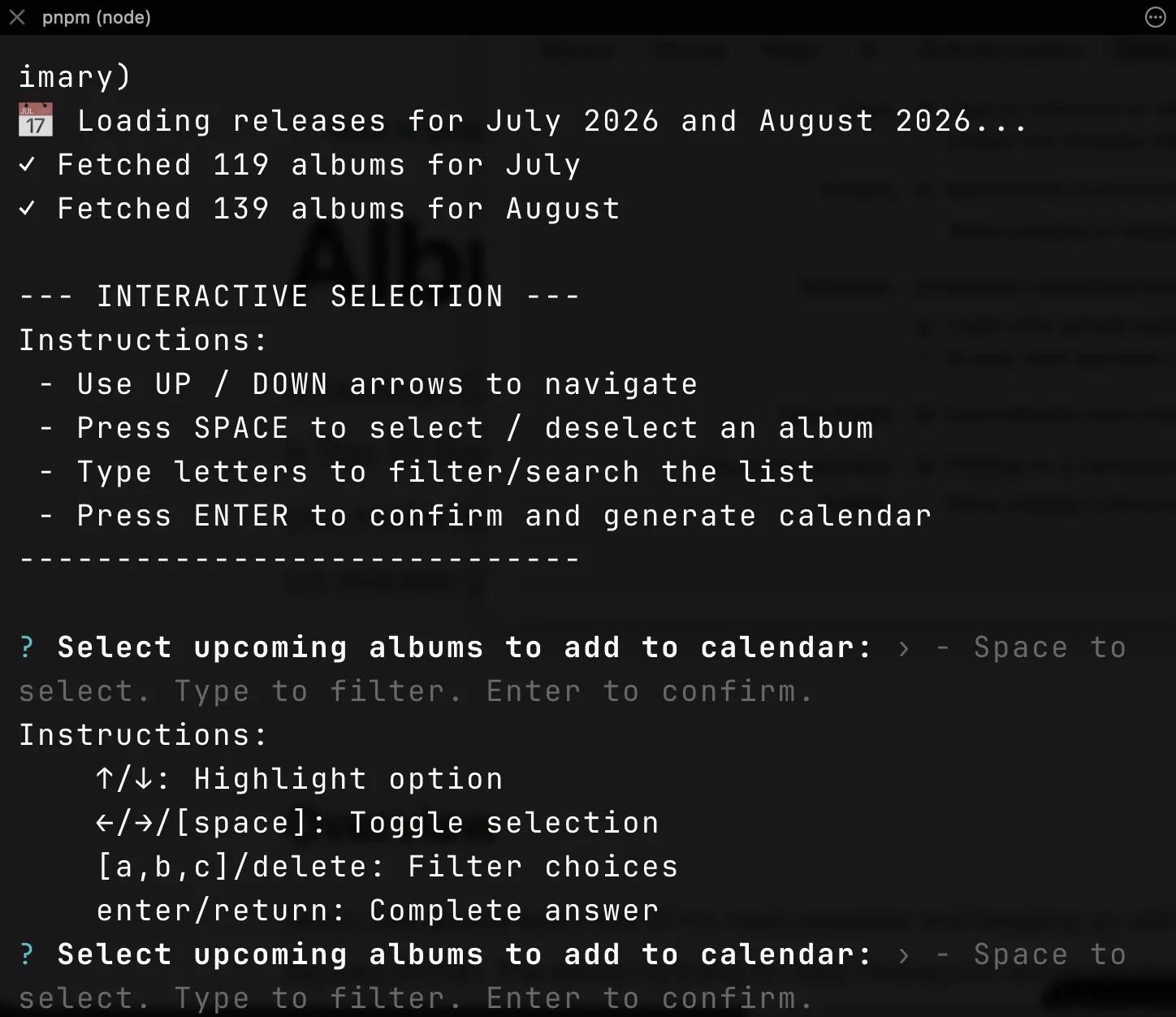
- The scraper pulls Wikipedia's annual album list (e.g. List of 2026 albums) and parses the tables for the current and next month with Cheerio. The tables are mostly tidy but not quite. Date headers span multiple rows and sometimes arrive squished together like "July3", so the parser cleans up as it walks the rows.
- The checklist is a searchable multi-select in the terminal. Type to filter, spacebar to toggle, enter to confirm. Nothing is ever pre-selected.
- Spotify personalisation is optional. Log in once with OAuth and the CLI fetches the artists you follow plus your long-term top artists, then surfaces a ranked Top 10 Suggestions block above the full A to Z list. The follows are cached locally so a normal run boots instantly without touching Spotify, re-syncing only when the cache is over a day old or you pass
--refresh. - Three destinations. A standard
.icsfile you can import anywhere, or direct sync into Google Calendar or Outlook where the CLI lists your writable calendars, lets you pick one and skips anything it's already added so re-runs never double up.
Every release lands as a short reminder at 9am on release day, marked free so it never blocks your actual schedule. Each event carries a Spotify search link so you're one tap from listening the moment it pops up.
Keeping it small
The whole thing is plain JavaScript running on Node, about 1,900 lines across ten small modules, with exactly four dependencies. Cheerio for the parsing, prompts for the checklist, open for popping the browser during login and dotenv for config. The tests run on Node's built-in node:test runner so there isn't even a test framework installed. I wanted a tool I could come back to in a year and read top to bottom in one sitting. Keeping the dependency list that short is most of how you get that.
Sticking points
Three OAuth providers, one dance
Spotify, Google and Microsoft all speak OAuth, and all slightly differently. The first cut gave each provider its own copy of the login flow, the local callback server, the browser hand-off and the token exchange. The copies drifted exactly like you'd expect. The Google copy was missing its CSRF state check entirely and two of the providers were writing the client secret into the local auth file alongside the tokens. The fix was pulling the whole dance into one shared OAuth module. A single authorizeViaBrowser helper generates and verifies the state parameter itself so no provider can forget it, and the auth file writer strips secrets on every write so the only things that ever hit disk are tokens and non-secret app IDs.
Spotify quietly stopped accepting localhost
Partway through, Spotify logins started failing with redirect URI errors that made no sense, because the exact same value had worked before. It turns out Spotify no longer accepts the localhost hostname in redirect URIs at all and requires the loopback IP literal instead. Google and Microsoft accept 127.0.0.1 happily, so every provider now shares the one loopback host and the problem can't come back.
Suggestions, not selections
The first version auto-selected every album by an artist you followed, which sounded helpful and felt awful. I follow a lot of artists and not every record they put out is one I want a reminder for, so each run started with me un-ticking things, which is backwards. The redesign flipped it. Spotify data now only ranks and labels, surfacing the Top 10 Suggestions block at the top of the list, and every actual selection is yours. I reckon recommendation belongs in the presentation, not in the selection state.
Reminders, not blocks
The first cut created all-day events. After a couple of weeks of living with it my calendar looked booked out on release days, when what I actually wanted was a nudge. So releases became 15 minute events at 9am local time, marked transparent so they never show me as busy, with the times written as floating local values so the reminder fires at 9am wherever the calendar happens to be. The event title, description and Spotify link are all built in one shared function too, because Outlook's duplicate check matches on the event subject and the fastest way to break that is letting two providers drift apart on the title format.
The result
I was really happy with the end result. I was able to spin up this simple JavaScript CLI using AI agents in only an hour and it's turned a real world problem into a once a month two minute task. What more could I want! I run it, tick the albums I'm keen on and release day mornings sort themselves out. A quiet 9am reminder, one tap into Spotify and I'm listening to a record I would've otherwise found out about three weeks late.
The full source is on GitHub if you want to see how it all fits together. If you're building anything that does OAuth from a CLI, my one bit of advice is to set up a shared auth layer before you add your second provider, not after. The login dance looks provider-specific but it's 90% identical. The 10% that differs is exactly where security bugs like a missing state check hide when every provider owns its own copy. Happy coding!