Gym Log
Gym Log is a React Native app for logging strength workouts. Programs, sessions, personal bests, rest timers and progress charts, all running on Expo and Supabase. It's a side project I'd had knocking around in my head for well over 10 years. I finally sat down and built it.
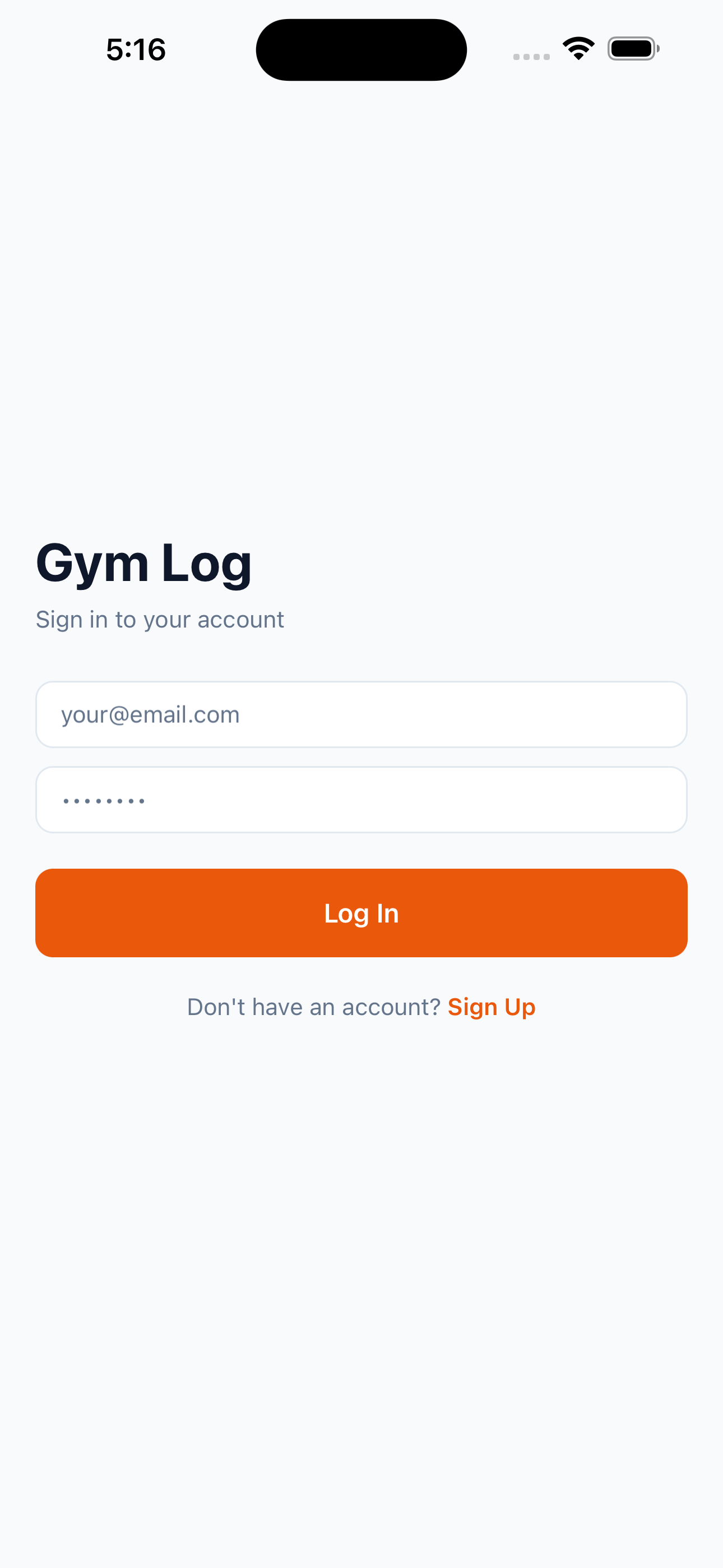
It started as a personal itch. Every gym tracking app I tried either buried the actual logging of a set under three taps or wanted a subscription for the features I really wanted. So I built my own. Something straight forward that treats a workout like what it actually is. A list of exercises, each with a list of sets, each with its reps and weight. I kept it to just that until the basics felt right.
Gym Log is now live on the App Store, with more over at gym-log-app.com.
Background: Claude Code and the Ralph technique
Here's the fun part. The first eighteen commits of this project, so everything from the Expo scaffold through to a working auth flow, the CRUD services, the navigation and all five core screens, weren't written by me at the keyboard. They were generated by running Claude Code inside an autonomous loop, using a workflow Geoffrey Huntley calls the Ralph technique.
Ralph, at its simplest, is a Bash loop. while :; do cat PROMPT.md | claude-code; done. You write a single prompt that points the model at a backlog, in my case a numbered list of user stories (US-001, US-002 and so on), you give it the rules of the game (one story per iteration, run the tests, commit on green, mark the story done) and then you let it run. The model picks the next unchecked story, builds it, checks its own work and commits. Then the loop fires again. You go to sleep and it keeps shipping.
What I found is that this works genuinely well for the boring foundational scaffold of a project, the part where most of the decisions are mechanical and the cost of a wrong call is low. It gave me a clean, typed, tested foundation in a single overnight run that would've taken me a long weekend by hand. The tidy one-commit-per-story history it left behind made the codebase really easy to move around in afterwards. Where Ralph was less useful was the second half of the project. The redesign, the placeholder UX, the dark mode retrofit. Those needed taste, actually living with the app and the kind of "no, that feels wrong, undo it" judgement that just doesn't fit inside a loop. So the project is genuinely a hybrid. An autonomous agent for the bones and me by hand for everything that gives it its feel. I reckon that split is the honest answer to "how much of this did the AI write".
What I built
The app is built around four screens that match how I actually use it at the gym.
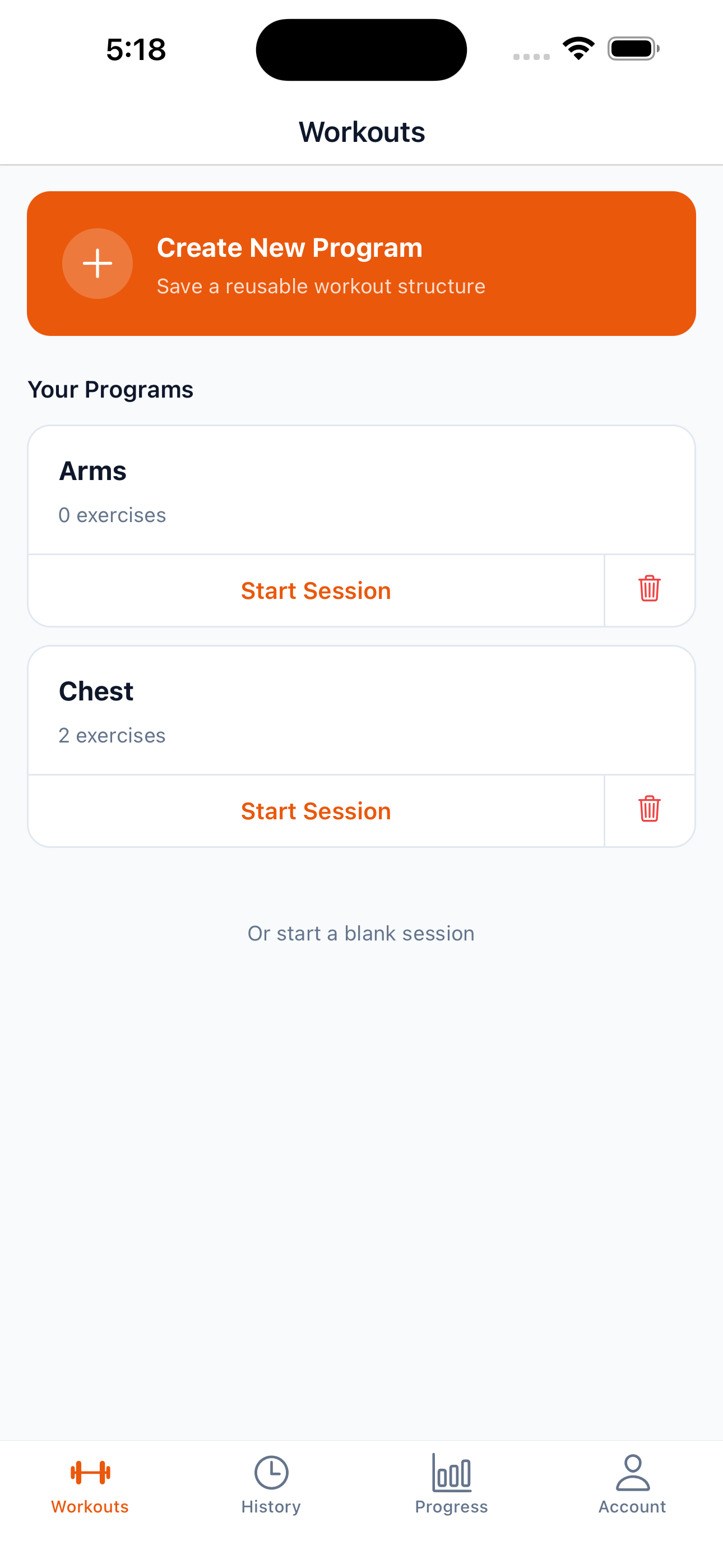
- Workouts are reusable program templates like "Push Day A" that you turn into a session each time you train. When you start a session it pre-fills the set fields with placeholder values from your last session of that template, so you can see what you lifted last time and either match it or beat it with a single tap.
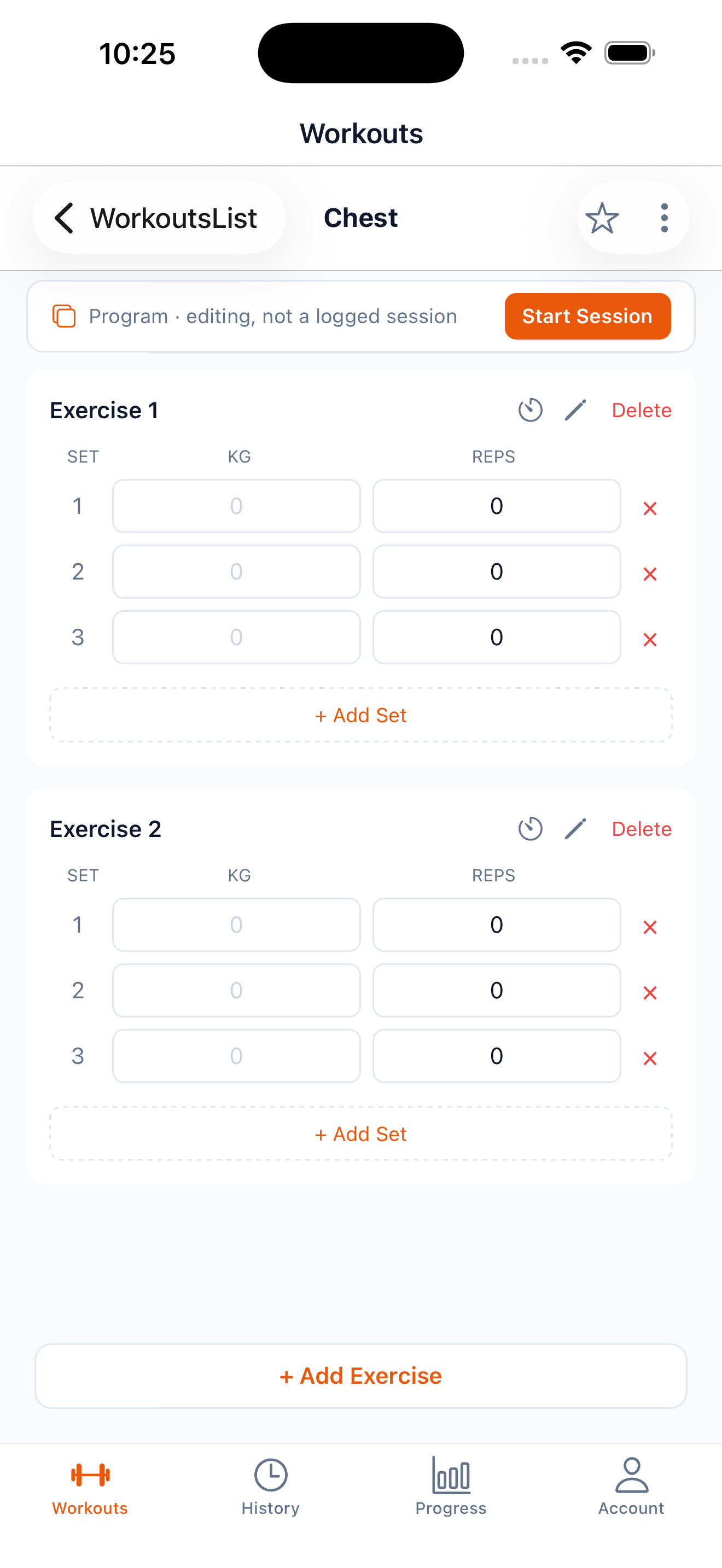
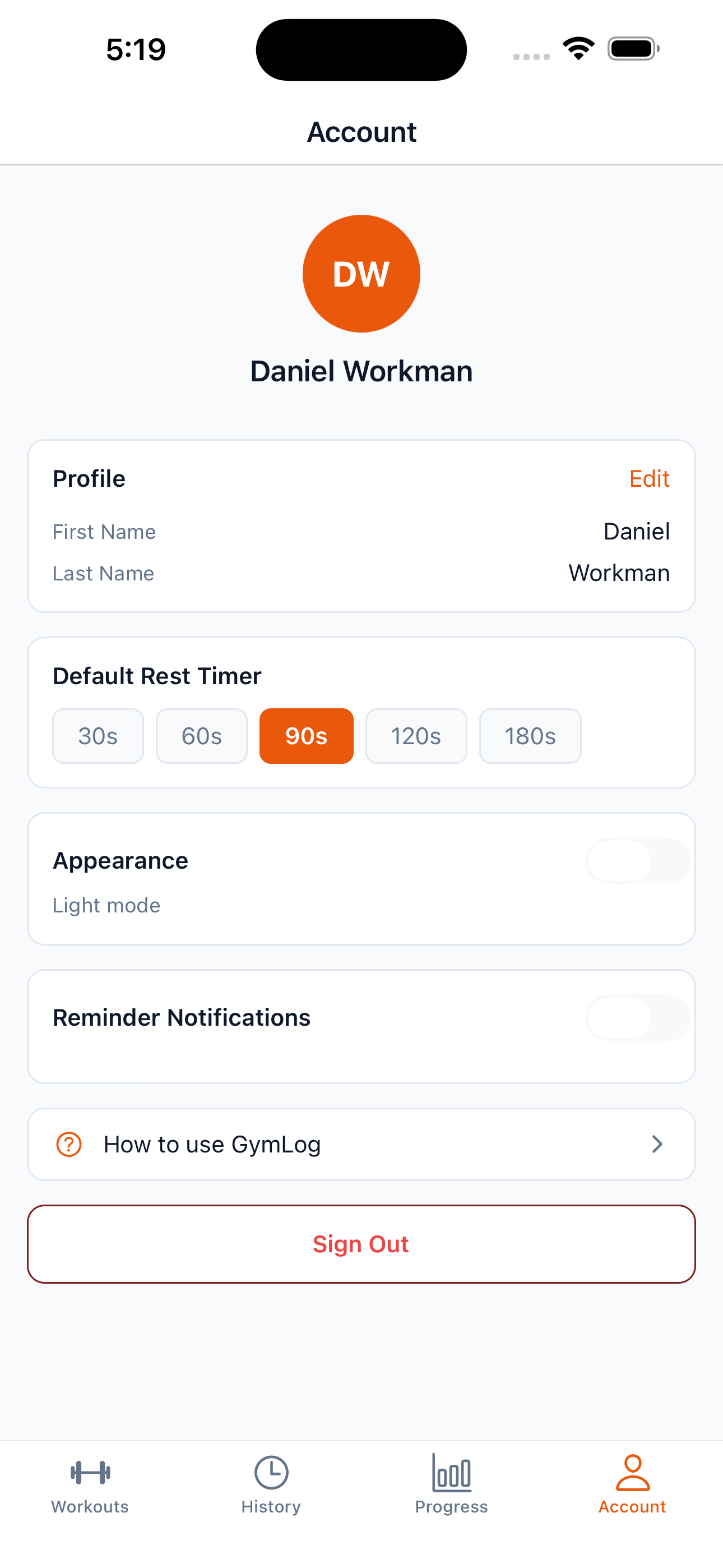
- Session detail is inline editing for everything. The exercise name, the set reps, the set weight. No modals, no save buttons. It just auto-saves on blur. You can group exercises into supersets or drag them to reorder mid-session. A back-navigation guard catches you before you walk away from unsaved work. A configurable rest timer slides up between sets with haptics and a notification when it fires.
- Progress gives you weight progression and total-reps-per-session charts for each exercise, with a date-range selector, tap-to-view tooltips and a full-screen landscape mode for reading dense data.
- History and Favourites is your read-only past sessions with a "Repeat workout" action, plus a starred view that pins your favourite programs to the top.
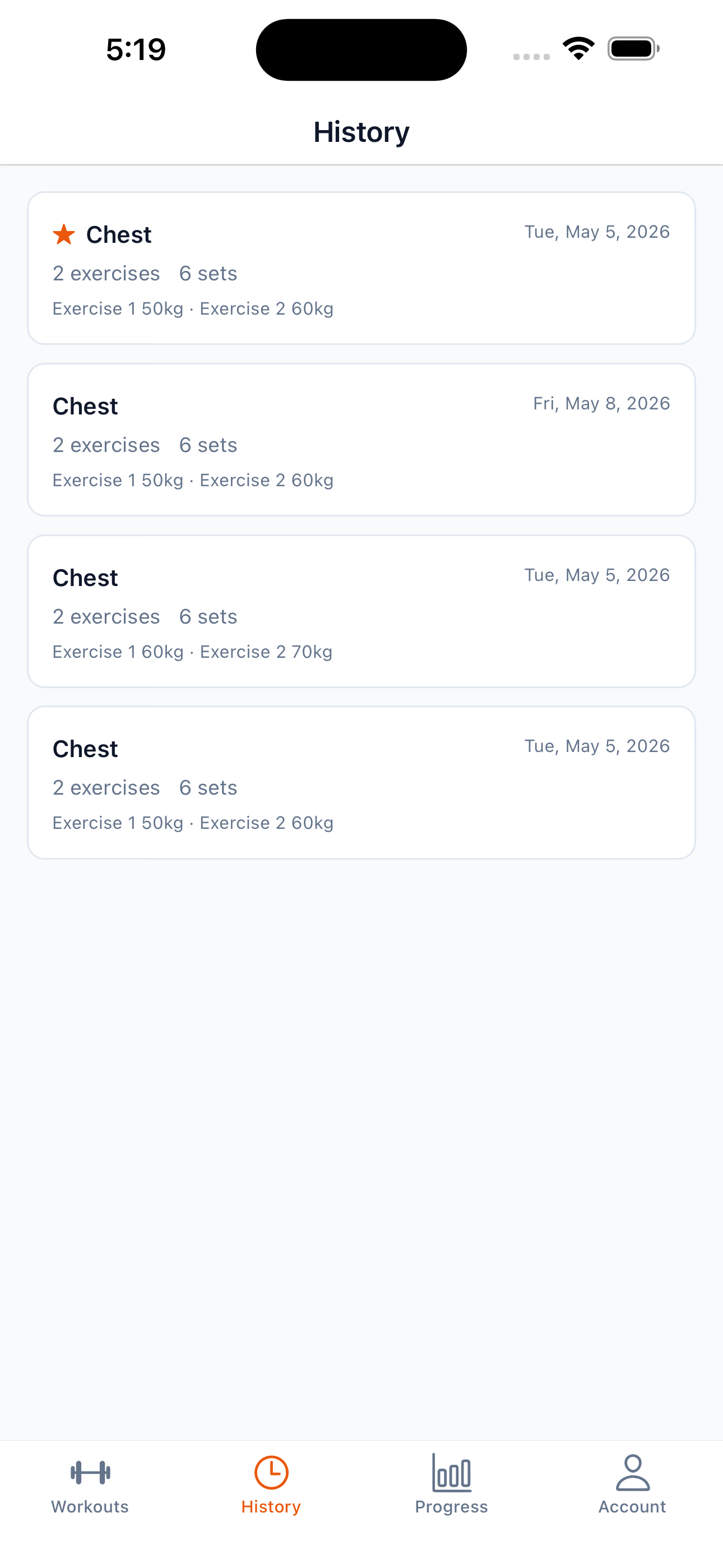
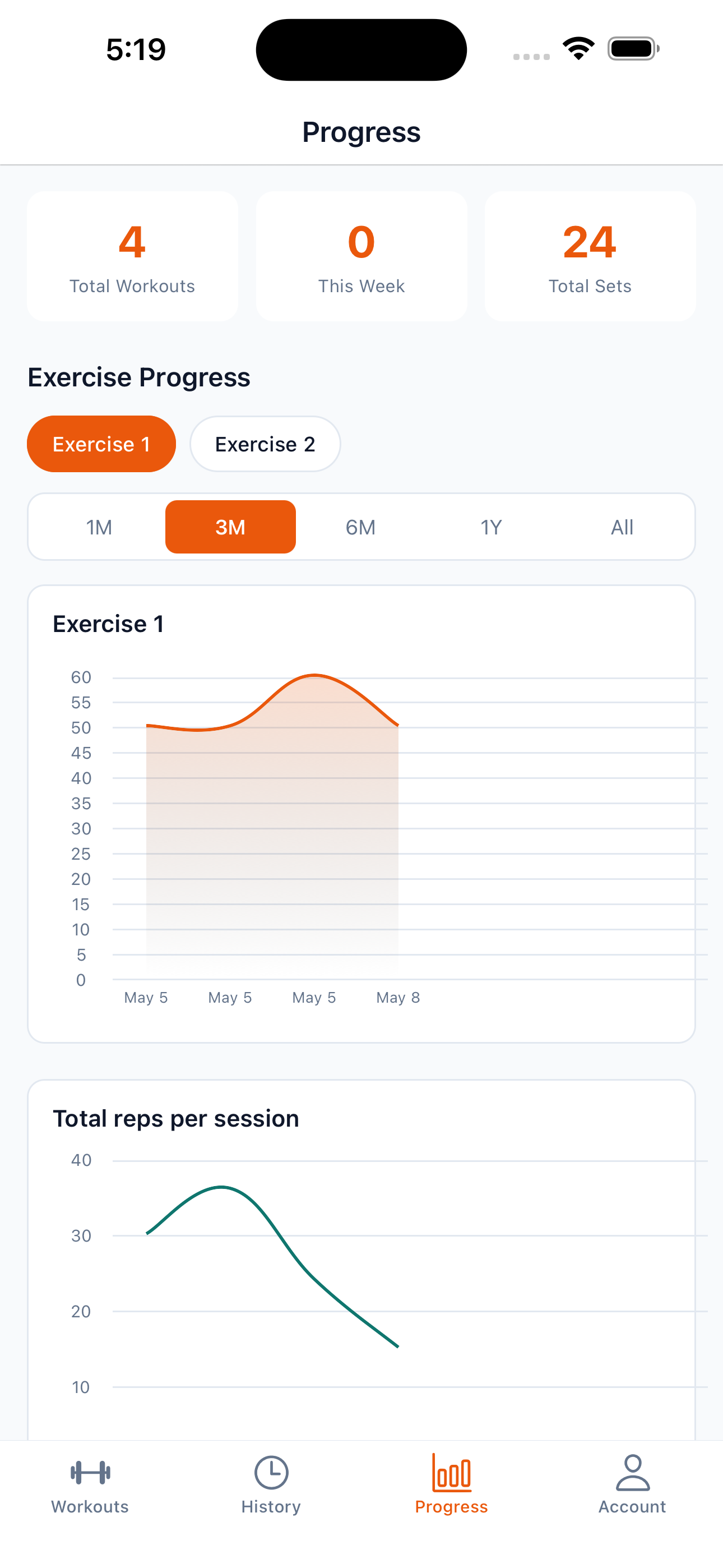
On top of the core loop, the app auto-detects personal bests (I renamed these from "PR" to "Personal Best" partway through after testing it on myself, because "PR" read as ambiguous), exports a session as a shareable image card and can fire a daily streak reminder at a time you choose to nudge you back to the gym. Auth and storage are handled by Supabase, with row-level security so each user only ever sees their own data.
Technical architecture
Stack: Expo SDK 55, React Native 0.83, React 19 and TypeScript on the front. Supabase on the back for Postgres, Auth and row-level security. NativeWind v4 with Tailwind v3 for styling, React Navigation v7 for routing, Reanimated v4 for animation and Gifted Charts for the graphs. Biome handles lint and formatting. The tests run on Jest with React Native Testing Library.
The data model is four tables. profiles (which extends Supabase's auth.users), workouts, workout_exercises and workout_sets, each one protected by row-level security so a user can only ever read or write their own rows. The first cut of the schema was actually only two tables. workouts carried its exercises and sets inline as a jsonb blob, on the assumption that every read was really "fetch the whole workout" and a single round trip would be fastest. That held up fine until the Progress screen landed. Charting weight progression for one exercise across months of sessions meant pulling every workout, hydrating the JSON in JS and then filtering, which got noticeably laggy as my own history grew. Migrating to normalised workout_exercises and workout_sets tables (with indexes on workout_id, exercise_id and the exercise name) let those queries push the filtering and joining down into Postgres where it belongs. The per-exercise history sheet went from a visible pause to instant. Well worth the migration. Would have been worth doing up front if I'm honest.
The state is layered. A SupabaseClient singleton at the bottom, then thin service modules (authService, workoutService) that own all the I/O, then React Context providers (AuthContext, WorkoutContext, ThemeContext) that hand typed hooks to the screens. No Redux, no Zustand. Context was plenty because the data fan-out is shallow and the writes are all user-initiated.
Auth tokens persist through expo-secure-store (it was AsyncStorage originally, swapped out early when I realised the JWTs were sitting there in plaintext). The theme preference persists locally too, with the write deferred off the interaction frame after profiling showed the toggle felt a bit sticky on older devices.
Sticking points
The "Programs vs Workouts" rename
The first version of the app had a single concept, a Workout, that you'd either create blank or duplicate. After living with it for a few weeks I realised what I actually wanted was a clean split between the template (the program I follow week to week) and the instance (today's session). The redesign touched nearly every screen. A two-zone Workouts list, a new "Start" action that turns a template into a session, a source_template_id foreign key on instantiated workouts so I could pull last session's placeholders forward and a soft-delete on empty sessions so abandoned starts didn't clutter up the history. Worth every bit of it, because the app now matches the way I actually think about my training.
Placeholder UX
Pre-filling the set inputs with last session's values sounds simple until you ask the real question. Are those values the user's data or just a suggestion? If they're data, then saving an untouched session double-counts last week's lift. If they're a suggestion, the user needs a clear signal that's what they are. I landed on rendering them as muted placeholder text rather than real input values, tracking edited-versus-untouched state for each set and showing a banner on instantiated sessions until the first edit lands. Empty sessions get soft-deleted on save so the history stays honest.
Dark mode without a rewrite
The app was built dark-first with hardcoded Tailwind colour classes all over the place. Retrofitting a theme system meant either a giant search-and-replace job or something smarter. I went with CSS custom properties. I defined the colour palette as --color-* variables in global.css, redirected every Tailwind token through var(--color-*) in the config and let NativeWind's CSS interop carry the values into the native views. A single ThemeProvider swaps the variable values at the root and every styled component re-renders with the new palette. No per-component changes needed beyond a handful of imperative colour usages (the charts, the rest timer bar) that I had to migrate by hand.
Email confirmation and the App Store round-trip
Signup runs through Supabase email confirmation. The confirmation link deep-links straight back into the app (gymlog://auth/callback) instead of dead-ending in a browser. Profiles get created by a Postgres trigger on auth.users rather than a client-side write, so a freshly confirmed account always lands with its profile row already in place. No race between "account exists" and "profile exists". Getting that flow watertight took a couple of App Store resubmissions. The deep-link handling and the confirm-then-return path are exactly the kind of edge cases that only really show up once a real reviewer and real users are in the mix.
Shipping discipline
The commit log honestly reads like two different projects stuck together. A methodical first pass (US-001 through US-018, then US-101 through US-108, every commit a single user story) and a much messier "make it real" phase (the redesign, lint cleanup, the DB latency migration, all the polish). The structured phase got the bones right. The messy phase is where the app actually turned into something I'd happily recommend to a mate. I'd run it the same way again.
The result
What started out as "I'll knock up a tracker in a weekend" turned into a proper fully featured fitness app that I now use four times a week. It's live on the App Store. Building it user story by user story up front made all the later, scrappier work (the redesign, the dark mode retrofit, the placeholder UX) far cheaper than it would've been otherwise, because the foundations never had to move. If you're keen to give the Ralph technique a go yourself, my advice is to point it at the boring scaffold and keep the taste calls for yourself. That combination is where the real magic is. Happy coding!