Overview
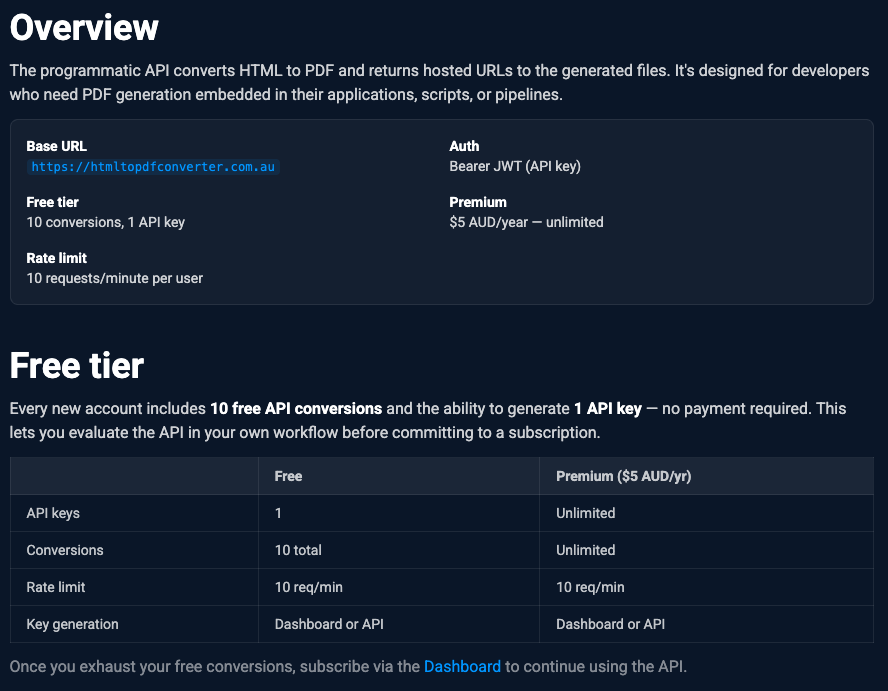
Turning HTML into a good-looking PDF is one of those jobs that sounds trivial right up until you actually try it. I wanted to take that little feature and build a proper full-stack SaaS around it, the whole thing end to end, from a free tool anyone can use to a paid API a developer can call from their own app. So that's what I did! HTML to PDF Converter is a Next.js app running on Vercel that turns HTML files into print-ready PDFs. It comes in two halves. A free web interface for quick one-off conversions and a paid developer API for generating PDFs programmatically.
What I built
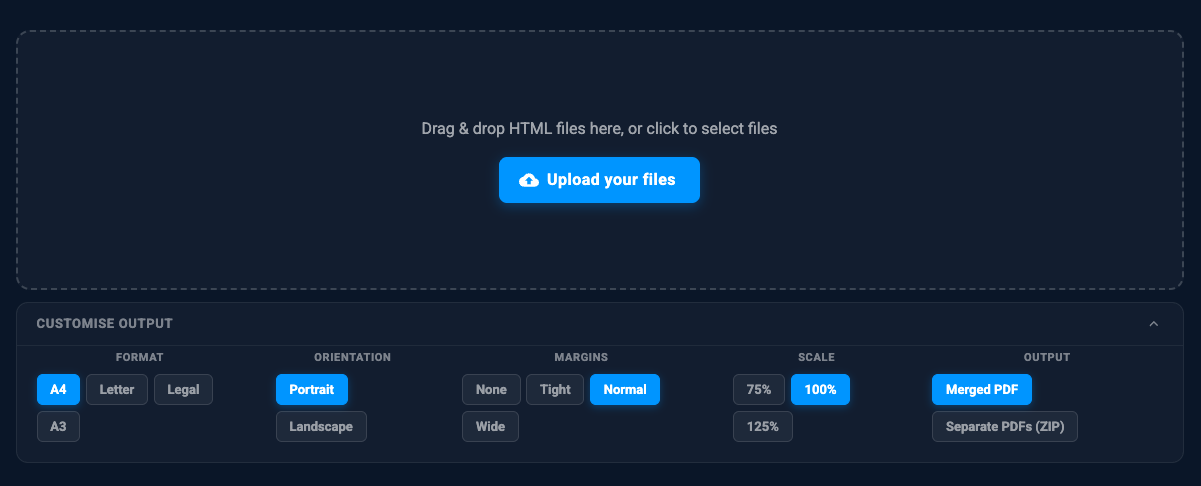
The web tool lets you drag and drop up to 10 HTML files, set the page format, orientation, margins, scale and output mode, then download the result as a single PDF, one merged PDF or a ZIP of separate PDFs.
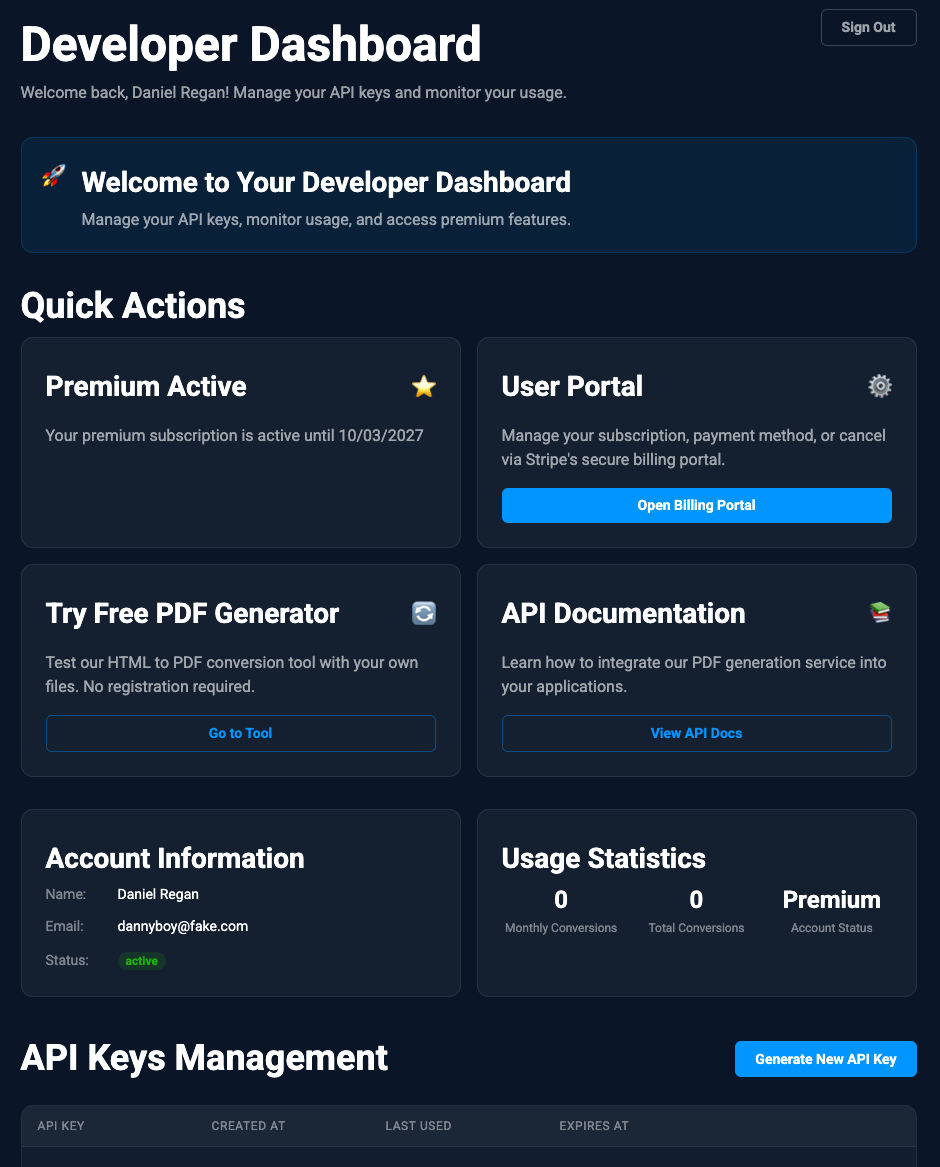
The developer API is the other half. It adds accounts, JWT API keys, usage tracking, Stripe subscriptions and rate limiting. You generate a key from the dashboard and call a REST endpoint to convert HTML straight from your own application.
Technical architecture
Under the hood it's Next.js App Router, React, TypeScript, MongoDB, NextAuth, Stripe, Upstash Redis, Vercel Blob and Puppeteer. The one bit worth calling out is that it runs Puppeteer two different ways. In development it uses the full Puppeteer. In production it swaps to puppeteer-core with @sparticuz/chromium so Chromium can actually run inside Vercel's serverless environment.
The conversion flow itself is nice and simple:
- You upload one or more HTML files.
- The API checks the file type, the file count and the file size.
- Puppeteer renders each HTML document to PDF using the options you picked.
- Multiple PDFs get either merged with
pdf-libor archived witharchiver. - The finished file is stored behind a session-based download route.
- The UI streams progress back to you the whole time using server-sent events.
Sticking points
Getting Chromium to run on serverless
The hardest part by a mile was making the PDF rendering reliable in production. Running Puppeteer locally is easy. Getting Chromium to run in a serverless environment is a different story, because you need a smaller runtime binary and a specific set of launch flags to fit inside Vercel's constraints. So I split the renderer in two. Local development uses Puppeteer directly. Production uses puppeteer-core with @sparticuz/chromium.
Keeping people in the loop on long conversions
A batch conversion can take a few seconds, especially when someone uploads a bunch of chunky HTML files. Rather than leaving the screen sitting there doing nothing, the web route sends back a streaming response and reports each step as it happens, whether that's rendering, merging, archiving or getting the download ready.
Handling the three output cases cleanly
The app had to cope with three different outputs. A normal single PDF, one merged PDF when there are multiple inputs or a ZIP with separate PDFs inside. I pulled the PDF creation logic out of the route handler so the rendering, merging, zipping and download metadata could all be tested on their own.
Keeping the rendering costs under control
Browser rendering isn't cheap, so both halves of the app sit behind Upstash Redis rate limits. The public web tool is limited by IP. The API is limited per user and tied to their subscription state, which keeps the whole thing safe from someone hammering it.
The result
What I ended up with is a proper working HTML-to-PDF service. A free public converter, a paid API, account management, API key controls, Stripe billing and production-ready serverless rendering, all in the one app. It took a feature that sounds trivial and turned it into a full SaaS workflow. Upload, render, download, sign in, bill and keep the system safe from abuse.
The developer docs are over at htmltopdfconverter.com.au/docs. If you're thinking of building something that renders PDFs on serverless yourself, my one bit of advice is to sort out the production Chromium setup first before you build anything on top of it. It's the part most likely to bite you, so get it solid early. Happy coding!